How I Used OpenAI Dot to Refresh My Bluesky Account
I let an agent research my Bluesky network, then approved the changes it made for me.

After a year of mostly ignoring my Bluesky account, I wanted to get it back in shape. That meant two things: finding followers worth following back, and taking a hard look at the accounts I was already following. I handed the job to my OpenAI Dot.
I cared less about what people said in their bios than about what they were actually posting. For each account, I wanted a quick sense of what it would add to my feed and a short note to help me decide. That kind of digging is tedious to do by hand, but it's exactly what an agent is good at.
Taking a closer look
Once I explained what I was after, the agent set up a spreadsheet and pulled in 74 accounts that followed me but that I didn't follow back. Everything it needed (profiles, follow relationships, and recent activity) came from Bluesky's public API.
Each row had a bio, a profile link, and a brief take on the quality of the account's posts and why they might interest me. Accounts that had been active in the past 30 days rose to the top. The notes weren't meant to make the decision for me, just to point me toward the profiles worth a closer look.
Beside each account was a checkbox. I'd read the summary, click through to the profile if I wanted to see more, and tick the ones I wanted to follow. When I was done, those checkmarks would tell the agent what to do.
Who to keep following
The bigger task was the other direction. An account that was great to follow a year ago might have gone quiet, drifted off topic, or turned into something else entirely. I asked the agent to flag inactive accounts, likely bots or scams, and low-quality content.
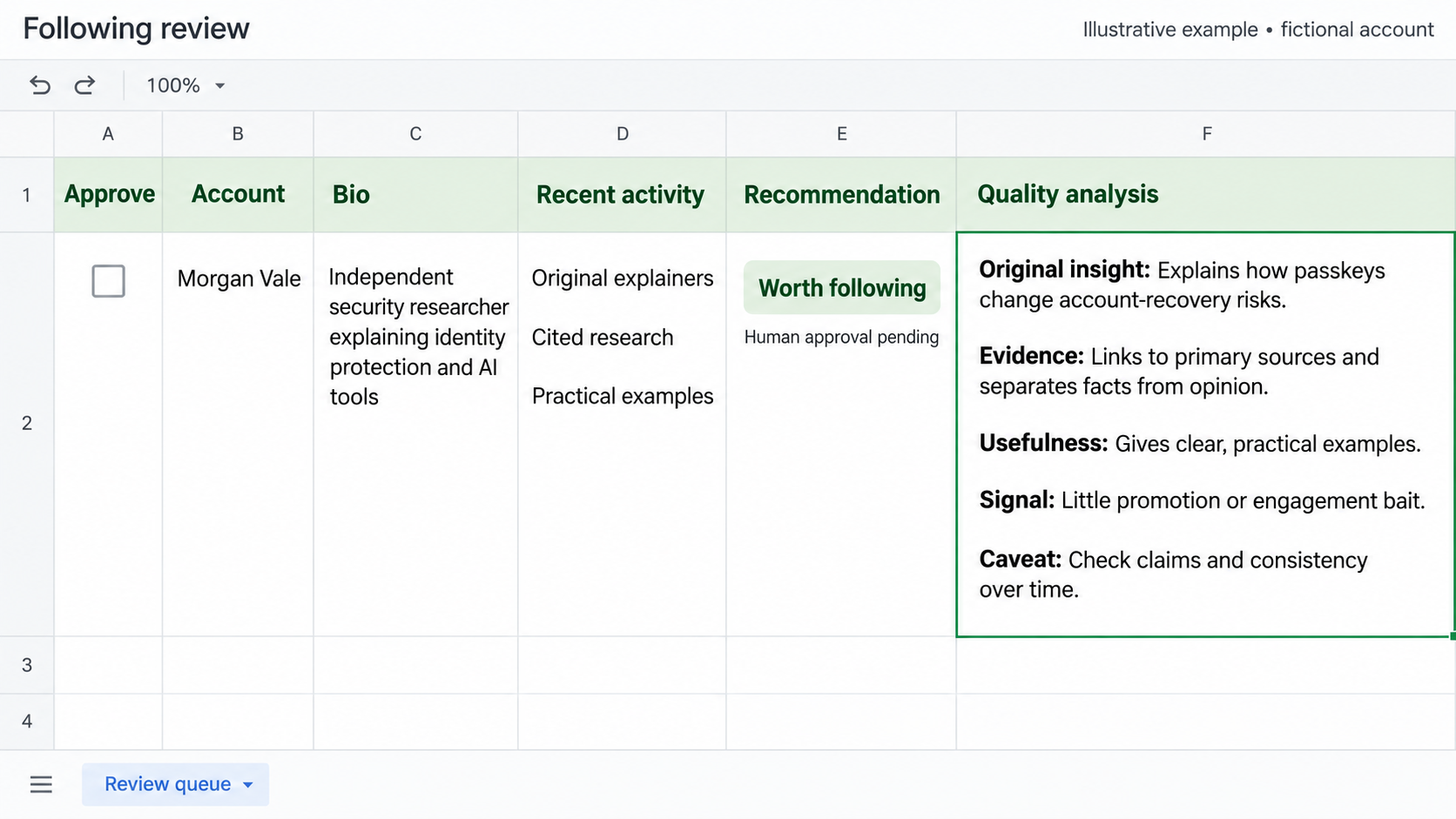
That meant going through 676 followed profiles and 19,141 visible feed entries. The agent put its recommendations on a separate tab, with a profile link, activity details, a short explanation, and an unfollow checkbox for each one.
I started with a 90-day inactivity cutoff, but after seeing the results I tightened it to 30 days. Of course, some people are worth keeping even when they've been quiet, so I added a whitelist checkbox that overrides any unfollow selection.
I also asked for follower counts next to the checkboxes so I could sort by them. The sheet kept evolving as I worked through it, and the agent made each change without wiping out the choices I'd already made.
Making the changes
When I'd finished reviewing both tabs, I told the agent to act on my selections. It added the API support it needed to follow and unfollow accounts through the existing secure connection to my account, made the changes I'd approved, and then checked that they'd gone through.
In the end, I followed two new accounts and dropped 134. All 66 whitelisted accounts stayed put, and the spreadsheet lives on as a record of every decision I made.
Why it worked
What made this work was the split. The agent handled the tedious parts (pulling data, reading thousands of posts, summarizing each account) while I made the calls that depended on my own taste. Honestly, I could have let it decide everything, and the results would have been fine. It understood what I was after that well.