Helping Family Stay Safer Online With Firewalla Orange
Firewalla Orange is a compact, easily portable router and firewall. While it works well as a travel companion, I’ve put it to use helping non-technical relatives stay safer online.
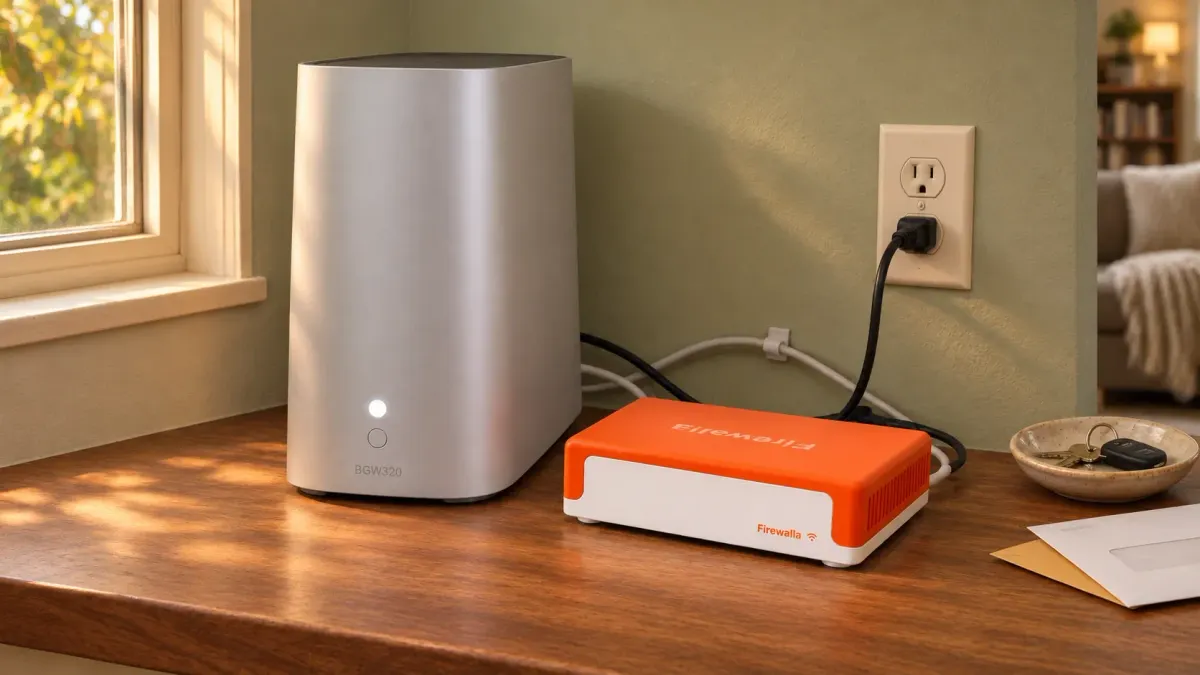
Firewalla Orange is a compact, easily portable Wi-Fi router and firewall. While it works well as a travel companion, I’ve put it to use helping non-technical relatives stay safer online. If you’re the person family members call when technology goes sideways, it offers a practical way to prevent many of those headaches—and provide remote support without needing to be on-site.
One of its biggest selling points is that you can leave their existing gateway settings and Wi-Fi network unchanged, minimizing the risk of creating a technical mess that takes hours to untangle.
Keep Their Existing Setup
You can configure the Firewalla Orange in router mode before shipping it or handing it over in person. Once it’s plugged into power and its WAN port is connected to a LAN port on their existing internet gateway, it comes online for you to manage remotely.
This arrangement leaves their main Wi-Fi running as usual. While devices remaining on that primary network won't get Orange's added protection, it's a worthwhile tradeoff when distance or a relative's limited technical ability makes reconfiguring their home network too difficult.
From there, your relatives simply move their devices onto the Orange’s dedicated Wi-Fi. Once connected, they benefit from an added layer of security, including blocking known malicious sites and alerting you to suspicious activity. You can also configure VLANs with separate Wi-Fi names (SSIDs) and firewall rules to keep different device groups apart—for example, separating smart-home devices from computers and phones.
Because devices on Orange are on a separate network, check that printing, casting, and other everyday functions still work after the move.
Help Without Being There
The Firewalla mobile app lets you manage multiple boxes remotely without a paid subscription. If you prefer working from your computer, Firewalla’s Managed Security Portal (MSP) lets you review alerts and adjust security rules through a web interface. You can investigate suspicious traffic or fix an overenthusiastic block without having to talk someone through unfamiliar router settings over the phone.
The free MSP Lite portal covers basic activity reviews and remote rule management. Paid plans add longer cloud-stored activity history and multi-box management. (Note: If your own Firewalla already occupies your account's seat in MSP Pro, you may need an additional seat to manage their Orange alongside yours.)
Someone still needs to pay attention to the alerts, of course. The major advantage is that you can take on that small amount of background work without expecting your relative to learn or manage the tools themselves.
Have the Privacy Conversation First
Remote monitoring brings visibility into someone else’s online life. While you can see connected devices and the domains their devices contact, you cannot see encrypted messages or page contents. MSP Lite uses Firewalla’s cloud without permanently storing network activity there, whereas paid MSP plans retain history.
Before setting anything up, have an open conversation about privacy. Explain what you will be able to see, what you intend to monitor, and who will have access. Include everyone whose devices will use the connection, get their agreement, and respect the boundaries they set. For many families, the added protection and remote support will make the privacy tradeoff worthwhile, but establishing that trust upfront is essential.
Disclosure: This article reflects my own experience with Firewalla. I have no affiliation with the company and purchased the unit myself. This post is not sponsored and contains no affiliate links. There are many ways to address network security; this approach worked for my situation, but may not suit every household.
Discuss with AI
Copy the prompt, then open an assistant and paste it.